





You can see the time left in either the current year or month as dots. You can tap on a period of time to switch views. Just tap on the remaining time to see it as percentage.
To better see time, you can hover over a dots to see dates. You can also create a beautiful home screen with one of the app’s widgets.
If you want to customize the app, just long press the screen. In the customization options, you can select from a theme and background.
Left is a free download now on the App Store.
There is also an optional Left+ tier that can be locked with a one-time purchase of $0.99. That allows you to display time as squares instead of dots, get notified about time milestones, add and track custom dates, travel back in time, and more.
While Left is simple, it’s a truly beautiful way to better understand time.


Calun Provides a Unique Month-View Calendar Experience
Instead of a day-by-day look, the app provides a monthly look at your schedule. A feature highlight is the one-swipe...

Sid Meier’s Civilization VII Highlights Apple Arcade Additions in February
Three other new games will also be joining the service on that day. First up, go back in time with...
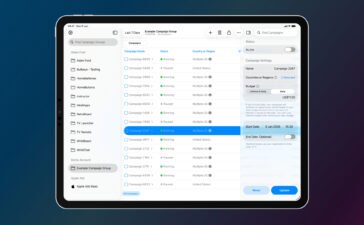
Bullseye Provides a Better Way for Developers to Interact With Apple Ads Campaigns
And the new app Bullseye provides a full-fledged way to use the platform without having to login to the Apple...

Apple Creator Studio Announced With Host of Creative Apps for iPad, Mac
Here’s what you’ll receive as subscriber: Pixelmator Pro, Final Cut Pro, and Logic Pro and Mac and iPad Motion, Compressor,...


