




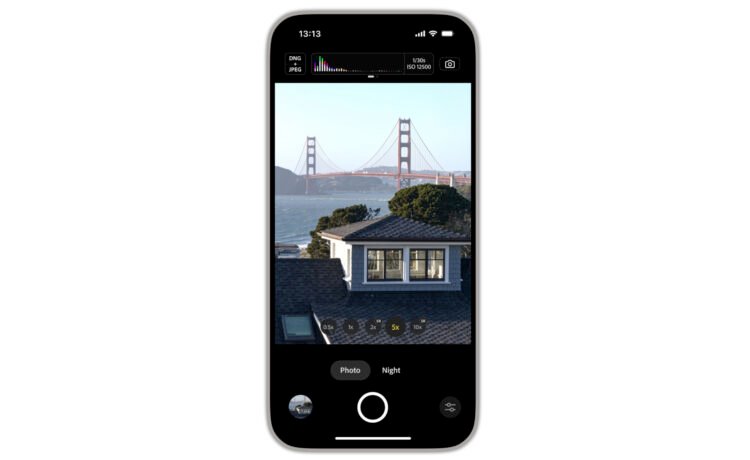
Along with a set of full manual controls, the app is designed to provide a natural image look.
The main draw of Project Indigo is that it captures a burst of photos and combines each one together to produce a better photo with lower noise and higher dynamic range.
With the app’s Night Mode, images are captured after you press the button but use longer exposure time to reduce noise.
Computational photography and AI help provide a SLR-like look to photos including a gentle treatment of subjects and skies.
To help you capture to he perfect shot, there are a number of manual control like focus, exposure time, ISO, exposure compensations and white balance. With focus control, there is also a optional magnified loupe for setting a precise focus. With white balance control, you can tap on an object know to be neutral gray.
Another great feature is super-resolution for zoom when using pinch-to-zoom. Ai is also used in the Remove Reflections technology when taking a picture of something behind glass, for example.
Project Indigo is a free download now on the App Store. It’s for the iPhone and available from the iPhone 12 Pro/Pro Max, iPhone 13 Pro/Pro Max, and all iPhone 14 models and above. For the optimal experience, Adobe recommends using an iPhone 15 Pro or newer.


Calun Provides a Unique Month-View Calendar Experience
Instead of a day-by-day look, the app provides a monthly look at your schedule. A feature highlight is the one-swipe...

Sid Meier’s Civilization VII Highlights Apple Arcade Additions in February
Three other new games will also be joining the service on that day. First up, go back in time with...
Bullseye Provides a Better Way for Developers to Interact With Apple Ads Campaigns
And the new app Bullseye provides a full-fledged way to use the platform without having to login to the Apple...

Apple Creator Studio Announced With Host of Creative Apps for iPad, Mac
Here’s what you’ll receive as subscriber: Pixelmator Pro, Final Cut Pro, and Logic Pro and Mac and iPad Motion, Compressor,...


