





Downloading iOS/iPadOS 18.4.1, tvOS 18.4.1, and macOS Sequoia won’t bring any new features, but will fix major security vulnerabilities and other bugs.
You can download the iOS/iPad 18.4.1. update by going to Settings > General > Software Update on your iPhone or iPad.
For the mac, selecting the Apple Menu and then About This Mac. Select Software Update to start the process. The download is large, so expect the entire process to take more than an hour.
The Apple TV update should automatically be downloaded.
If you haven’t already enabled automatic updates, you can download the software by heading to Settings > System > Software Updates > Update Software. Right next to the button to update software is the toggle switch to turn on automatic updates.


Calun Provides a Unique Month-View Calendar Experience
Instead of a day-by-day look, the app provides a monthly look at your schedule. A feature highlight is the one-swipe...

Sid Meier’s Civilization VII Highlights Apple Arcade Additions in February
Three other new games will also be joining the service on that day. First up, go back in time with...
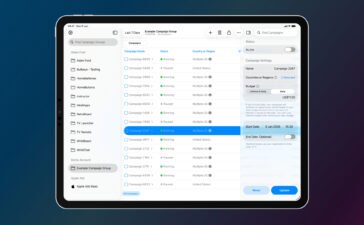
Bullseye Provides a Better Way for Developers to Interact With Apple Ads Campaigns
And the new app Bullseye provides a full-fledged way to use the platform without having to login to the Apple...

Apple Creator Studio Announced With Host of Creative Apps for iPad, Mac
Here’s what you’ll receive as subscriber: Pixelmator Pro, Final Cut Pro, and Logic Pro and Mac and iPad Motion, Compressor,...


